How-To Guide
How To: Create and Print an Emergency Contact Sheet
When someone else is in charge — a sitter, a grandparent, a neighbor during an emergency — they shouldn't have to scroll through your phone. An emergency contact sheet puts the numbers that matter on one printable page.
Step 1: Build your emergency list
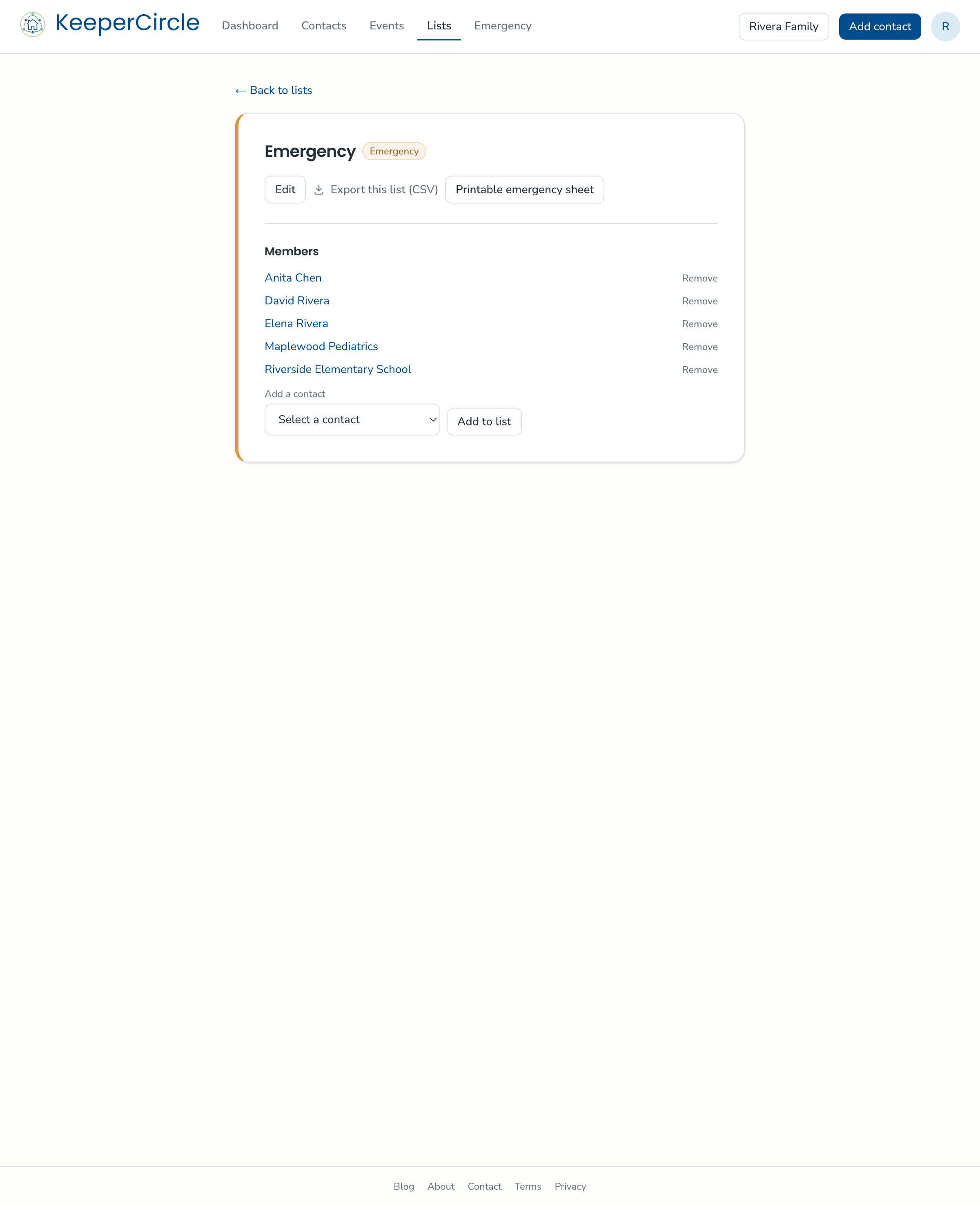
- Open your Emergency list from the Lists page. Every household starts with one, and it's available on every plan — it doesn't count against the free plan's custom-list limit.
- Use Add a contact to put everyone who belongs on the sheet onto the list — the pediatrician, your emergency contacts, the poison control line, a trusted neighbor.
- Repeat until everyone who belongs is on the list.
Not sure who to include? A good starter set: both parents' cells and work numbers, two nearby trusted adults, the pediatrician, your preferred urgent care or hospital, poison control, and the school's front office.
Step 2: Decide about medical details
Your children's profiles in KeeperCircle can carry medical and allergy notes. That information is sensitive, so it never appears anywhere automatically — a child's medical details go onto the sheet only when you switch them on for that printout. If the sheet is going on the fridge for a sitter or to a team leader for a trip, including allergies usually makes sense; leave them off if a temporary caregiver won't need them. Medical notes on your regular contacts never appear on the sheet at all — those stay inside your household.
Step 3: Print or save
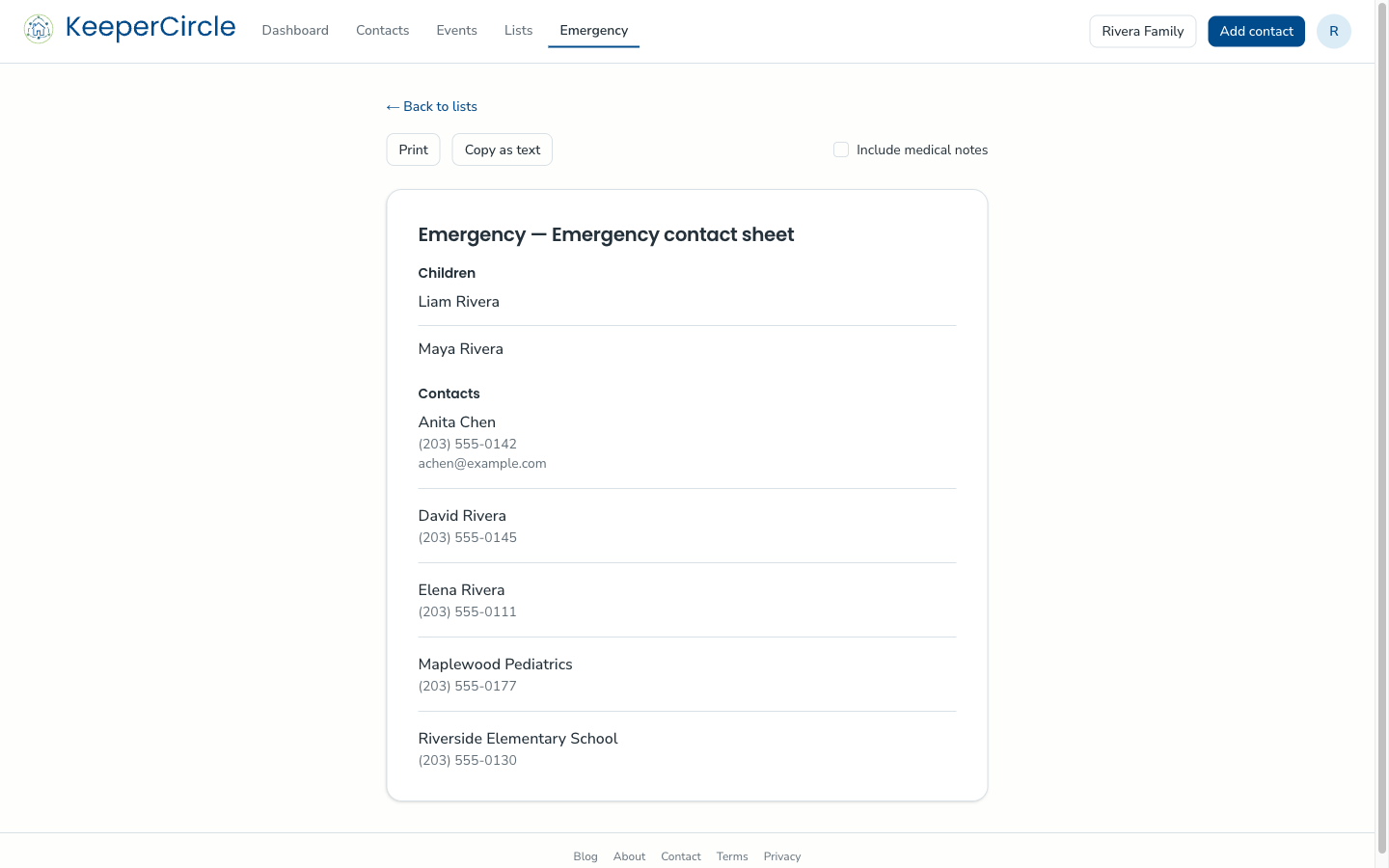
The printable sheet is part of the paid plan. Your household's children appear at the top of the sheet automatically, followed by everyone on your emergency list.
- Open the emergency sheet view.
- Choose whether to include the children's medical/allergy information.
- Print it, or save it as a PDF, or text it to a caregiver.
Emergency views and printed sheets are always ad-free.
Keep it current
The sheet reflects your contacts at the moment you print it. When a number changes, update the contact and print a fresh copy — a good habit is reprinting at the start of each school year and whenever a regular caregiver changes.
Good to know
- For caregivers who are around regularly, a live view may beat paper — a viewer can be granted just the emergency list, so they see those numbers and nothing else, always current. The printable sheet itself stays with parents and guardians. See How To: Give a Caregiver View-Only Access.
- Related reading on our blog: what belongs on a family emergency contact list, and emergency cards for kids' backpacks.